Friday, March 6, 2015

Novel Study Made Easier on the Kindle

My oldest son is doing a novel study of The Hunger Games for his reading curriculum this trimester.  He is using my Student Selected Novel Study Packet, which works with pretty much any novel out there, which is perfect for homeschooling although I actually designed it to make differentiation easier when I was teaching in a classroom with many levels.  My son is reading the book 2 chapters at a time. After each set of two chapters, he has 4 pages of work to do.
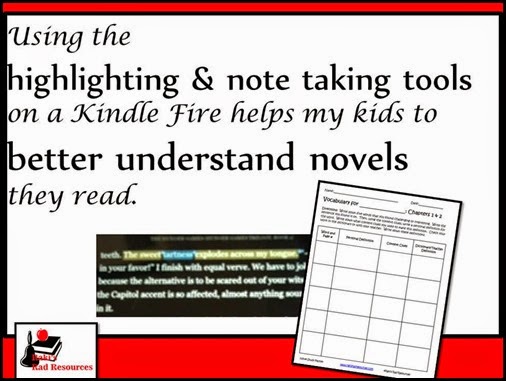
 

Using the highlighting and note taking tools on a kindle fire has helped my child to better understand the novels he reads.  He uses the highlighting tool to help him think better about what he reads.  Curriculum suggestions from Raki's Rad Resources.

On the vocabulary page, he finds 5 words, uses context clues to guess the meanings and then looks up the definition in the dictionary.  Since he is reading on the novel on his Kindle Fire, he has developed a system of highlighting the words and the context clues in two different colors while he is reading.  This enables him to find the words easily when it comes time to do his vocabulary page.  Since his Kindle Fire also has a built in dictionary, that step is much faster too!


Using the highlighting and note taking tools on a kindle fire has helped my child to better understand the novels he reads.  He uses the highlighting tool to help him think better about what he reads.  Curriculum suggestions from Raki's Rad Resources.

Next, he does a summary of what happened in these two chapters by completing a story map.  While he is reading, in yet another color, he highlights key events that he wants to remember for his story map.  He can even type in his own notes to go with highlighting.  No more lost post-it notes, but lots of good thinking while reading going on!


Using the highlighting and note taking tools on a kindle fire has helped my child to better understand the novels he reads.  He uses the highlighting tool to help him think better about what he reads.  Curriculum suggestions from Raki's Rad Resources.


The third page he works on is creating three quiz questions based on the chapters he has read.  He sometimes uses highlighting for this as well, since he likes to pick out minute details for his quiz questions.  We are working on including at least one big idea or inferencing question, forcing him to think further outside the box.


Using the highlighting and note taking tools on a kindle fire has helped my child to better understand the novels he reads.  He uses the highlighting tool to help him think better about what he reads.  Curriculum suggestions from Raki's Rad Resources.

Finally, he completes a reading response page where he writes about the chapters while responding to a prompt.  This has been a great way to see what he has taken from the chapters.  He likes that there is a rubric on the bottom of the page so he knows exactly what he needs to include in his writing.  In fact, he told me he wishes every page he ever did has a rubric so that he isn’t left wondering if what he’s doing is going to be what we’re looking for.

  Using the highlighting and note taking tools on a kindle fire has helped my child to better understand the novels he reads.  He uses the highlighting tool to help him think better about what he reads.  Curriculum suggestions from Raki's Rad Resources.

If you’re interested in having your students work on a Self-Selected Novel Study, you can find the entire packet including the pages shown for up to 30 chapters and pages for before and after reading the novel.  A Kindle Fire is NOT needed to complete the packet, but it definitely makes the note taking processes easier!!

Heidi Raki of Raki's Rad Resources

Wednesday, March 4, 2015

Publishing Student Work on the Internet

Let students have a chance to share their work with real world by publishing on the internet.  Tips from Raki's Rad Resources.


Everyone – adult and child alike – creates better work and is more dedicated to their work when they are presenting to a real audience.  Teachers have known this for a long time.  This is the reason we have students write for class newsletters, present at parents nights, perform plays and have poetry readings.  As teachers we are always trying to give our students a ‘real audience’. 

With our new technologies, we now have the opportunity to give our students a real audience - without the air quotes.  Technology allows us to have students write and create for an audience of the world.  By publishing work on the internet, students are able to share their work and receive feedback from real people all around the world.  Let students have a chance to share their work with real world by publishing on the internet.  Tips from Raki's Rad ResourcesThey will receive real, unbiased feedback and learn how to react appropriately to that feedback.  All of these are life skills that are becoming more and more important in our 21st century world. 

  Parents and teachers are often wary of sharing student projects on the internet for security and safety reasons.  I share the wariness of sharing too much information on the internet, but I also see kids who already share tons and tons of information and would highly benefit from learning how to share information responsibly.  We need to start by teaching students how to be safe on the internet.  I use this Internet Safety Power Point to introduce these concepts to my students.

Let students have a chance to share their work with real world by publishing on the internet.  Tips from Raki's Rad Resources Next, I introduce my students to creating content.  They build project presentations, tutorial videos and online book reports.  We share this content in safe settings like Edmodo and allow classmates to comment on the work.  Once students have experience with giving and receiving feedback, we then share the work to a more general public, posting work on a YouTube page, a blog or by asking another class to take a look at it.  Students are also encouraged to share their work with their parents and to ask their parents to share their work using social media sites.  We ask parents to leave feedback, not only on the work of their own children but also on the work of other classmates.

By building this community of sharing, students learn:

1.) to understand that everything on the internet was created by a human who is not necessarily an expert.  This allows them to begin thinking critically about the information that they find on the internet.

2.) how to share information responsibly.  Unless we teach students this skill, they will always share too much information and in this day and age it may come back to bite them.

3.)  how to give and receive feedback appropriately.  The internet gives use the idea of anonymity and makes people say things that they wouldn’t say in person.  We need to start training students young to give appropriate feedback and how to respond to feedback, both positive and negative.   

4.)  the importance of putting your best work out there.  Students want others to look on their work with approval.  Knowing that others are actually looking at their work will encourage students to push themselves.

5.)  technology skills that will help them succeed in the real world.  Creating tri-fold boards and hand drawn posters are not skills needed by people presenting information today.  However, creating videos, podcasts, and presentations are definitely skills that can be used in pretty much any field students go into in the future.


Heidi Raki of Raki's Rad Resources