Showing posts with label technology project. Show all posts

Monday, February 27, 2017

10 Ways to Make Projects Work for Low Level Students

Recently I wrote a post about why low level/ low income students need projects as much as higher level students. After I wrote this post, I had quite a few questions about how to implement projects with low level students. So today's post is 10 Tips to Making Projects Work for Low Level Students:

10 Tips to making projects easier for elementary students and lower level students - classroom suggestions from a seasoned teacher at Raki's Rad Resources.

1.) Model clear expectations - Be very clear about what you want your students to do, step by step. I often have these steps written out, like in my Math Projects, AND I discuss them with the students before we begin. Then be ready to explain the expectations again when students get stuck. Be patient, especially the first few times when the expectations of a project are completely new to your students. 

If possible, show students examples of possible end projects. I like to take pictures of student projects to show next year's students. You can also create your own versions of the project to help them have a good visual of the expectations.

2.) Share rubrics with students BEFORE they begin working - Just as you want them to know what the end project will look like, you want them to know what their grade will be based on. With worksheets students generally understand what they have to do to get a good grade. With projects there are many ways to work hard but not be focused on the "correct" key elements they'll be graded on. For this reason, before we begin working on our projects, I always go over the grading rubric with my students. I point out the things that will cost them or gain them points so that they know how to get a good grade.

3.) Gather resources - Lower level students will often benefit if they have specific resources to use, rather than just being asked to "Google it". Especially during the first few projects, I gather together books, articles, videos, website links and other resources where I KNOW my students will be able to find the information that they need. 

Often, I may even have students complete an Internet Scavenger Hunt on the same topic before we begin a project. This way the students have been led through the research and built up their background knowledge before they're being asked to create a project with this information. For example, I may have the students complete the Amazing Americans Internet Scavenger Hunt first, which covers 9 different American heros. Then we'll do the Amazing Americans Project where they choose one hero, do further research and create an informational power point about the person.

4.) Prepare "background building videos" - Similar to gathering resources, I often spend time building up our background before we begin a project. I often do this with videos. Right now my students are working on the research for the Ancient Civilizations project of their Country Study. Before they began researching their own individual countries' ancient civilizations, we watched multiple videos about ancient civilizations in general. We started with videos about civilizations in general and then moved into videos on the move of people from generally nomadic to generally agricultural. We also watched videos about archeology and how we learn about these ancient civilizations. All of this background helps our low level students to better digest their individual research because they have a frame of reference already built for them.

5.) Be ready to "guide from the side" - Projects are a great way to build independent work skills, but this is an area where most low level students are lacking. Be careful not to take over your students' projects, but be ready to guide your students with a well posed question or a suggestion of how to find their answer. Make sure students are still the ones who are researching or creating, but be available to them when they get stuck. 

6.) Start with group work - Group projects provide their own set of challenges, especially the meshing of different personalities. However, group projects also allow higher level students to model good study skills for their peers. This is true even in a "low level class" because you will always have a few students who are higher in level than other students. Often the first few projects of the year will be group projects with the work broken up differently each project. This way students learn what is expected of them and have a chance to have someone other than you help them out. 

Group projects can also help out the teacher because instead of having 20 different projects going on you might have 4 or 5 to focus on. This means less resources to gather and less chances of a project needing you to prop it up. Eventually you will want your students to work on individual projects so that they have the chance to find an individual area of interest but as you are starting out, group projects can ease the work load both for the students and for you.

7.) Develop procedures for projects - Just like any other activity you are going to do in your classroom, you will need procedures. In my classroom some of the project procedures include: 
 - Students who are working on projects have first priority on a computer or tablet.
 - Students work on their projects at the same time every day. (Country study gets done first thing in the morning. Math projects get done during math centers. Research projects get done during our literacy block.)
 - Students are encouraged to take their projects to the floor in order to spread out, especially with poster making.
 - "In progress projects" can only be stored on one table.
 - All materials must be cleaned up and stored when we move into another activity.
 - Projects must be edited by a peer before I will do a final conference. 
 - Projects must be checked by the teacher for spelling, grammar and conceptual mistakes before they can be published. (ie. typed in a blog post or hung in the hallway)

Project procedures may differ from project to project, but as with everything else students will respond better to procedures that stay the same. So think carefully about how you want projects to look in your classroom for the school year. Then you can teach procedures once instead of each time you start a project.

8.) Allow for plenty of time - However long you think a project SHOULD take, double it. Especially with low level students, projects will take longer than expected, so allow for that time. This might mean starting a project before you start a unit. Or you might continue working on a project from one unit while you move into another unit. This is okay. Call it preview or review. Either way, I'd rather allow plenty of time for a project and have my students (and myself) feel we succesfully completed the project, than to rush through it just to be done "in time". In fact most teachers that I know who get frustrated doing projects are frustrated because the students don't finish in the time they allotted. The teacher often then throws the project out, leaving both teacher and students feeling like they didn't accomplish something. Prevent this feeling by allowing plenty of time. If students finish early, awesome! That gives you more time for revising, editing, publishing and sharing. I'd always rather my students feel like they finished too early than to have them rushing because I didn't allow enough time.

9.) Start out slowly - I've been doing student projects for 10+ years. Right now in my classroom I have three different projects going on simultaneously. We are almost done with our Be an Architect Math Project where we are designing our dream school. We are right in the middle of our Ancient Civilizations project (which is a small part of our larger, year long Country Study Project). And we have just begun the research for a City Comparison Project. My students started doing projects during week 2 of the school year.

However, my first year in teaching we did 4 projects during the entire school year. For a long time I never had more than one project going at the same time. You don't have to try and do what I do or what any other teacher does. If you've never done projects before, choose one small project and try it out. When you're done, take some time to hash out what worked and what didn't. Then choose another project that's slightly bigger and try it, maybe even after you've taken a significant break. Use your reflection to build better procedures or guide your students differently.

Don't overwhelm yourself, just give projects a good solid try. Eventually you (and your students - no matter their level) will find your groove with projects. Projects can and should be fun for you and your students. They should also make your job easier, not harder. Projects that are working well will allow your students to begin to "teach themselves". Projects should also decrease the amount of grading you need to do. I'd always rather grade one solid project, which integrates several skills than ten seperate worksheets.

10.) Celebrate the results - No matter how the projects turn out, take time to celebrate. End projects will often look different than what you dreamed about when you were planning. However, that final project is the result of your students' learning and persistence. Take time to celebrate that learning with your students.

Allow students to share their projects with someone else as well. This could be their own classmates, another class, their parents or even administrators. Students DO NOT have to stand in front of the class to share out their projects. Check out this old blog post on 4 Ways to Share Projects Without Standing in Front of the Class. No matter who your students share with, watching them get excited about the work they did is one of the best parts of doing projects with students, especially low level students.

If you're ready to start projects in your room, but you're not sure where to start, consider one of these projects from my Teachers Pay Teachers store:

10 Tips to making projects easier for elementary students and lower level students - classroom suggestions from a seasoned teacher at Raki's Rad Resources. Online Book Report


10 Tips to making projects easier for elementary students and lower level students - classroom suggestions from a seasoned teacher at Raki's Rad Resources. Rock Research Project


10 Tips to making projects easier for elementary students and lower level students - classroom suggestions from a seasoned teacher at Raki's Rad Resources. Biography project


10 Tips to making projects easier for elementary students and lower level students - classroom suggestions from a seasoned teacher at Raki's Rad Resources. holiday recipe math project


10 Tips to making projects easier for elementary students and lower level students - classroom suggestions from a seasoned teacher at Raki's Rad Resources. plants needs experimentation project


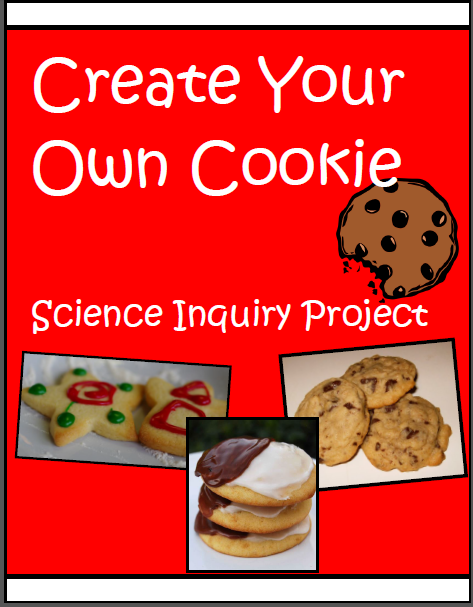
10 Tips to making projects easier for elementary students and lower level students - classroom suggestions from a seasoned teacher at Raki's Rad Resources. create your own cookie science inquiry project


10 Tips to making projects easier for elementary students and lower level students - classroom suggestions from a seasoned teacher at Raki's Rad Resources. earth day video project


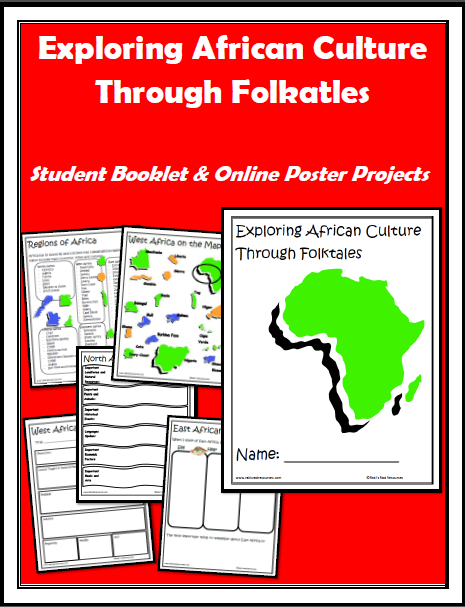
10 Tips to making projects easier for elementary students and lower level students - classroom suggestions from a seasoned teacher at Raki's Rad Resources. african folktales online poster project


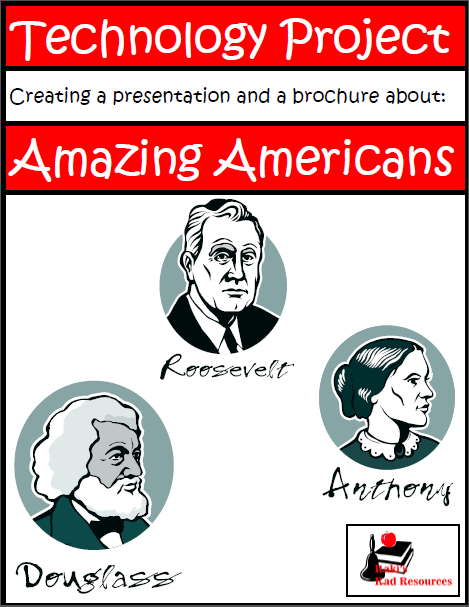
10 Tips to making projects easier for elementary students and lower level students - classroom suggestions from a seasoned teacher at Raki's Rad Resources. Amazing Americans technology project


Saturday, November 14, 2015

10 Projects to Make with Power Point that Aren’t Presentations

Power is of the most common technologies used in today’s classrooms. Unfortunately too often the Power Point is a presentation created by a teacher and presented to students in a way that the students passively receive information instead of interacting with it. A better way to use this technology is to flip it around. Let students use the technology to interact with the information. Have students do research and use the research to make a presentation. Or even better, let students use Power Point (or Prezi or Google Slides) to make something more than a presentation. This post will give you ten ways that you can use Power Point to create more than a presentation. Use them as a teacher to create something more interactive for your students and it will be helpful to their understanding. Give these ideas to your students and let them create projects of their own and they will build a far deeper understanding than they ever could listening to a lecture.Power Point Makes More than Just Presentations

Before we discuss the possible projects, let’s talk about the most useful, and most overlooked feature of Power Point. This is the ability to create hyperlinks. Within Power Point and Google Slides, you can create hyperlinks not only to outside websites, but also to slides within the presentation. These links can take students from slide one to slide ten and back, effectively building a website that is hosted only on your computer. Understanding this skill is a key point in making each of the following projects. 

10 Projects to Make with Power Point that Aren’t Presentations

1.) Create a game – With enough slides, you could technically create a full video game with Power Point. My students create vocabulary games with Power Point, but any type of game can be made. Students can include text, photographs, video, etc. They can hyperlink a path for their players that guides them through whatever topic they are exploring. The hyperlinks can go simply to a “Yes” or “No” answer slide or a “home” slide, or the links can guide students through a variety of levels. The games are limited truly only by a student’s imagination.  

2.) Create a video – Using transitions and animations within Power Point, students can create a very engaging presentation. Then, using screencast software, students can create a video of themselves talking people through the presentation, resulting in a .mp4 video file. Here is a video my son made using Power Point for his Country Study Project on China:


3.) Create an online poster – Online posters are images with links to additional information. I recently wrote an entire blog post on 4 Ways to Create Online Posters, and one of the easiest ways is through Power Point. Both Power Point and Google Slides allow you to save your completed project as a .pdf file. This means that you have a beautiful poster, which can include clip art, shapes, word art, and text that also has links to where people can find further information.

4.) Create an E-Quiz – Jeopardy games have been around for awhile and there are a wide range of easy to use, free to download templates to create these e-quiz games. Students can also easily create their own multiple choice questions and hyperlink each option to a correct or incorrect slide. An example of this is my Long Division Jeopardy Game.

jeopardy game  - built with power point, ideas from Raki's Rad Resources

5.) Create interactive equations – When we begin talking about variables with students, we use symbols such as stars and hearts to stand for the missing numbers. In Power Point, you can layer a shape or a clip art image on top of a textbox. Then, you add an animation to the shape or image so that when activated, the shape or image will disappear. This way the person “playing” with the interactive equations can attempt the equation on their own and then check their work by activating the slide. Here is an example of a compiled Power Point that my students made when I was teaching in a technology lab. This is one of the projects from my Math Technology Integration Matrix.

 interactive equations -  - built with power point, ideas from Raki's Rad Resources 

6.) Create a virtual field trip – Pictures, videos, maps, hyperlinks and text can be put together to build a “field trip” to any dplace on earth or in history. These virtual field trips can be recorded as a video or they can be more of an interactive web where the person “visiting” the field trip can choose to click on different elements and explore their own interests. My History Time Machines are a small example of virtual field trips. I also had my students create virtual field trips for during our Deserts of the World Unit. 

7.) Create interactive flash cards – By using a large rectangular shape, students can cover half of their slide and create a set of “flash cards” where each slide is a separate flash card. These could be vocabulary flash cards, math flash cards, flash cards about important historical events or really anything students would make regular flash cards for. When activated, students can “turn over” their flash card by having the rectangle disappear. Here is an example of using Power Point to practice multiplication facts:

 interactive flash cards - built with power point, ideas from Raki's Rad Resources

8.) Create interactive diagrams – Diagrams and pictures are a bit easier to make in Power Point because images and shapes can be so easily manipulated. But even more than that, students can link each image or shape to outside websites or other slides with additional information. For example, my son created this food web about the plants and animals in Germany for his Country Study Project. When you click on any of the items on the food web, it takes you to a slide with lots of information about that plant or animal.

 Interactive diagram - built with power point, ideas from Raki's Rad Resources.

 9.) Create step by step directions – Using photographs, shapes and arrows, students could create a step by step tutorial to how to do just about anything. In fact, using screenshots (press print screen to copy, use CTRL+V to paste), students could create a “how to” for other students on how to create something in Power Point. These how to or step by steps could then be saved as a .pdf or even as a set of images. Print them out and you have your computer center directions ready too!

10.) Create a digital storybook – Digital storytelling is a great motivation for creative writing. With Power Point, even non readers could create a digital story, by putting together photographs, shapes, or images. They could even draw pictures in Paint or KidPix and insert the pictures into Power Point. Once the story is complete, the students can dictate the words while recording a video or add in typed up words and save as a .pdf.


Power Point is a great tool. Google Slides does most of the same if you don’t have Power Point on your computers. But the key to all of these projects is to let the students build interactive projects with knowledge they have learned in class or through individual research.

 Heidi Raki of Raki's Rad Resources

Wednesday, September 23, 2015

Create Global Learners by Connecting with Classes Around the World

For a period of time while I was in teaching in Morocco, I managed a blog called Global Teacher Connect. On this blog, we had monthly collaborative projects where classrooms from around the world could get together to work on projects or connect students in different ways. Unfortunately, life got away from me and  I forgot to pay for the domain name and it was swooped up from under my feet and so the blog is now back to it’s old domain name: http://globalteacherconnect.blogspot.com/. In the meantime, I have also kept a Global Teacher Connect Facebook Page, which has been pretty unactive. I’d like to change that and so I’d like to change that by opening up the page as a place where teachers can connect with other teachers for collaborative projects.
Collaborative projects are a way of connecting students with other student around the world. These projects help give students a chance to connect with and understand students from different cultures and ways of life. By doing this, we open our students up to the possibility that there are other people in the world who do things differently than they do. We open them up to the perspective that other people around the world are more similar to them than different. We open them up to see the world from a different point of view. These connections open up conversations between students of different classes, different races, different cultures and different religions. Knowing people from other cultures makes people less likely to believe stereotypes and hateful messages about people who are different than themselves and more likely to try and see the world through the eyes of others. For a long time, teachers have been using pen pals as a way to connect students to other students around the world. Penpals are a great first step, but with today’s technology there are so many other ways to connect students to other students around the world. Here are a few ways you might consider using to connect your students with other students around the world:

10 Ways to Use Technology to Connect our Students to Students Around the World - Ideas in this blog post can be used in any classroom for elementary, middle or high school. You may also connect with other teachers on our Global Teacher Connect Facebook page. Stop by and find out more at Raki's Rad Resources

1.) Skype Chats – When I first moved to Morocco a teacher from Canada contacted me because they were studying Morocco and wanted to talk to a class of kids from Morocco. We sent e-mails back and forth two or three times and then we arranged a chat where our kids “met” face to face via computer screen. Her kids taught us a song and my kids taught them a song. Although the arrangement was to teach her kids about Morocco, my kids learned about Canada at the same time. They were amazed to see pictures with piles of snow and loved their virtual tour of the Canadian classroom.
How else could we apply this?
What about talking to students who live on a Native American reservation during our Native American unit? Wouldn’t that be a great way to show students that Native Americans today live just like we do, even though they had different houses long ago?
What about talking to students who live in the Democratic Republic of Congo during a study of the rainforest? Wouldn’t that be a great way to help them understand that people as well as animals live in these areas?
What about a series of chats with classes from different continents during a geography study? Could your class create a map of where each class was located?
For more ideas on how to use Skype in the classroom, check out my blog post – Bringing Experts into Your Classroom with Skype.

2.) Google Doc Collaborative Writing – My oldest son is currently writing a a story with his best friend. We are in South Dakota. She is in North Carolina. Sometimes they set a time and work together. Sometimes they each work when they have time. Either way they are building a chapter book together without actually being together.
How else could we apply this?
How about letting students do research together. They could add to a list of research questions. Then they could answer the questions as they find them and combine the efforts of different students in different places with different sets of resources.
What about a book review document where students from different classes can add reviews of books they have read?
For more ideas on how to use Google Docs, check out my blog post – Using Google Docs to Aid in Collaboration.

3.) Edmodo Book Groups – Within Edmodo you can create groups of students. These groups of students can work together on various projects. Students can be added to groups from any class. This would be the perfect place to host a student book group. Students can read the book in assigned sections and come to the group to answer questions or chat about the book.
How else could we apply this?
What about an author study group? Students could have a group devoted to a particular author. They could come back and work with the same students on different books throughout the course of a school year – or longer!
What about a non-fiction group based on a topic? Say you have kids that are very interested in the Middle Ages, or dinosaurs, or India. Put together a group, with members from at least 2 classes, where students read a bunch of books on that topic and discuss what they learned.
For more ideas on how to use Edmodo in your classroom – check out my blog post: Edmodo Makes my Flipped Classroom Easier.

 4.) Virtual Problem Solving Challenge – A great way for kids to practice math skills is to come up with their own word problems. Students could then share these problems with students from a different class, somewhere else in the world, by posting them on a blog, sending them by e-mail or even putting them into a Google Doc. Kids build critical thinking skills and global thinking all at once.
How else could we apply this?
Allow students to “critique” as well as answer problems created by their friends. This will be a great time to talk about vocabulary that is specific to a region or dialect. It is also a good time to talk about what makes a good world problem.

5.) Collaborative Google Map of a Monuments and National Parks Near Each Class’ Home – Create a Google Map of monuments and national parks near your classroom and then ask other classes to add their own set of monuments and national parks to the map. Monuments and national parks are great ways of knowing what type of things are deemed important to a culture. For example, in Morocco many monuments have religious importance and you will find important mosques and religious schools preserved as “monuments”. In the US religious monuments are rare, but we have a lot of our natural resources set to the side as special and worthy of preserving. There could be some great discussions from maps like these, and by having people of an area designate their monuments, you are getting a picture with less bias than some other resources we could use for similar discussions. Students will study Geography and culture while learning about people from around the world.
How else could we apply this?
What about creating a map of the places you go to buy things? The types of stores and markets in an area will tell you a lot about the economy of an area and could be a great contribution to a study of economics.
What about creating a map of where the food of an area comes from? Students could mark their school and any farms or ranches that are located nearby. This could be a great way to talk about urban/suburban/rural situations as well as how far your food source is in different countries. It’s also a great time to talk about – do we buy from these local farms or do we buy from supermarkets who buy their food from farther away to save costs?

6.) Collaborative Video Creation Projects – There are so many ways to create videos using technology today. For a few ideas of how to make videos with your students – try my Video Creation Websites blog post or my Video Creation iPad Apps blog post. How about having a collaborative YouTube channel with other teachers. Students can create videos. You post them to the YouTube page. Then friends from other classes can go and watch their videos. The friends will learn from the videos and can even leave comments on the video. 
How else could we apply this?
What about having a specific theme to the videos? One of the Global Teachers Connect projects was to create an Earth Day video. In fact, you can still download the project outline for free at my Teachers Pay Teachers store.
How about specifically doing math videos, similar to those at Khan Academy? My kids use this Student Created Video Tutorial Sheet to create math videos to teach each other. Think of how much more we could do with those if we pooled them together!

7.) Create a Padlet to Ask People Questions – Padlet is a website that lets people add their own pictures and notes to your “wall”. Ask a question on it and anyone can answer. Send the question to a “friend” and they can pass it on from there. This could be a great way to gather information for graphs or simply to do a type of “research”, similar to when we put a question out on Facebook to our friends.
How else could we apply this?
How about working on the same project as other classes and asking them to share pictures of their completed projects on your padlet?
Why not ask each class to upload a small video of their classroom and see what classrooms look like around the world?
What about using it as another place to do a book chat? Post questions about a book and ask everyone to go in and add their thoughts.

8.) Create a Collaborative Prezi Presentation – A few years ago I had my students jigsaw information about Ancient Rome. Each group took a different section, home life, government, economics, etc. You can find all of the specifics in this old blog post. Once they had done their research, we put it together into a collaborative prezi presentation. Like Google Docs, you can work in the presentation at the same time, or at different times, but in the end you have one big presentation that everyone has contributed to.
How else could we apply this?
How about creating a research project and grouping students between 2 or more classes based on student interests? Let students break the topic into sections down using e-mail or Google chats. Then each student does some research and adds to a collaborative Prezi.
What about creating the Prezi and ask different classes to post pictures of their classroom or their school into a designated section of the presentation?

9.) Collaborative Research with LiveBinder – LiveBinders are a great way to collect resources together. You can include pictures, videos, links to web pages and words you have typed. There are plenty of LiveBinders out there created by teachers to organize resources for other teachers. Why couldn’t students do the same? Two classes or two groups could work together to research any topic you cover in Science or Social Studies and share the information in a collaborative LiveBinder.
How else could we apply this?
Why not let students create a collection of their favorite educational websites? Sometimes students are better at finding those resources than we are, let them collaborate with others and they’ll double their manpower.
How about creating a series of LiveBinders for different books? Each LiveBinder can include resources used for the books, student reviews or reflections and discussion questions created by the students.

10.) Make Graphs with Collaborative Spreadsheets – On many of the homeschool groups that I am a part of people are asking for data collection questions to help students gain access to “data”. We can do the same thing with collaborative spreadsheets – part of Google Docs. Students can ask the question and send it to a few classes who can record their data. Students can then use that data to create graphs for class. The graphs can also be created in the spreadsheet program and shared with those who supplied data.
How else could we apply this?
Why not use this in coordination with other collaborative apps? Students can vote through these spreadsheets on which novel they want to study, which project they want to use or which type of collaborative project they want to participate in.


On the Global Teacher Connect Facebook page, feel free to stop and put a shout out to teachers (or other parents if you are a homeschool teacher) to see who would want to connect for a project like these. You may also post a link to a google doc or a blog post (no paid products please!) about your collaborative project. Let’s work together to build global learners and greater understanding by all.
Heidi Raki of Raki's Rad Resources

Saturday, May 2, 2015

Social Media Timelines

make timelines more fun by allowing students to create a series of social media posts. Ideas and resources from Raki's Rad Resources. 

Last month my kids were tasked with the project of creating a timeline about the country they have been studying this year. This was their final project for the history section of their Year Long Country Study Project. I often feel that timelines can be kind of a boring project. However, putting those events they have learned about into some sort of order helps kids to process the information better.

My oldest son read the project sheet and actually got excited. He didn’t feel that this project was boring at all. “Hey mom, can I make this like those fake Facebook histories?” he asked me. (If you don’t know what I’m talking about – check out the Facebook History of the World, but be warned it is a bit PG13 for strong language.) Leave it to him to find a creative technology solution for this project! Of course I said yes and he did a good job putting together a Prezi that looks like a series of social media posts or thought bubbles of the people who were actually at the event. Here’s what he came up with:


So if your students are bored with timeline projects, suggest this creative option to them – what would that history look like as a series of tweets or posts – or as an Instagram feed or a Pinterest board? This could also be done with books. Can you summarize this book in a series of tweets from the characters? Technology is a huge part of our kids’ lives. Rather than run from it, let’s embrace it!

Heidi Raki of Raki's Rad Resources

Wednesday, March 4, 2015

Publishing Student Work on the Internet

Let students have a chance to share their work with real world by publishing on the internet.  Tips from Raki's Rad Resources.


Everyone – adult and child alike – creates better work and is more dedicated to their work when they are presenting to a real audience.  Teachers have known this for a long time.  This is the reason we have students write for class newsletters, present at parents nights, perform plays and have poetry readings.  As teachers we are always trying to give our students a ‘real audience’. 

With our new technologies, we now have the opportunity to give our students a real audience - without the air quotes.  Technology allows us to have students write and create for an audience of the world.  By publishing work on the internet, students are able to share their work and receive feedback from real people all around the world.  Let students have a chance to share their work with real world by publishing on the internet.  Tips from Raki's Rad ResourcesThey will receive real, unbiased feedback and learn how to react appropriately to that feedback.  All of these are life skills that are becoming more and more important in our 21st century world. 

  Parents and teachers are often wary of sharing student projects on the internet for security and safety reasons.  I share the wariness of sharing too much information on the internet, but I also see kids who already share tons and tons of information and would highly benefit from learning how to share information responsibly.  We need to start by teaching students how to be safe on the internet.  I use this Internet Safety Power Point to introduce these concepts to my students.

Let students have a chance to share their work with real world by publishing on the internet.  Tips from Raki's Rad Resources Next, I introduce my students to creating content.  They build project presentations, tutorial videos and online book reports.  We share this content in safe settings like Edmodo and allow classmates to comment on the work.  Once students have experience with giving and receiving feedback, we then share the work to a more general public, posting work on a YouTube page, a blog or by asking another class to take a look at it.  Students are also encouraged to share their work with their parents and to ask their parents to share their work using social media sites.  We ask parents to leave feedback, not only on the work of their own children but also on the work of other classmates.

By building this community of sharing, students learn:

1.) to understand that everything on the internet was created by a human who is not necessarily an expert.  This allows them to begin thinking critically about the information that they find on the internet.

2.) how to share information responsibly.  Unless we teach students this skill, they will always share too much information and in this day and age it may come back to bite them.

3.)  how to give and receive feedback appropriately.  The internet gives use the idea of anonymity and makes people say things that they wouldn’t say in person.  We need to start training students young to give appropriate feedback and how to respond to feedback, both positive and negative.   

4.)  the importance of putting your best work out there.  Students want others to look on their work with approval.  Knowing that others are actually looking at their work will encourage students to push themselves.

5.)  technology skills that will help them succeed in the real world.  Creating tri-fold boards and hand drawn posters are not skills needed by people presenting information today.  However, creating videos, podcasts, and presentations are definitely skills that can be used in pretty much any field students go into in the future.


Heidi Raki of Raki's Rad Resources

Monday, February 9, 2015

Are You Sure You Need That New Technology?

Anyone who has read more than one blog post on this blog knows that I am a proponent of technology in the classroom.  I think that each student in each class needs to be using technology to create as often as possible.  However, I have seen a disturbing trend in technology recently.  This trend involves buying new technology because it is new and fancy, not because it is needed, or will even be used.  Often technology is purchased, but not followed through on.  Teachers aren’t trained properly.  Technology isn’t used or does not get maintained.  It begins to gather dust.  Then a new technology comes in and we spend a fortune investing in it while the old technology goes to the scrap metal bin.

We need to use the technology already in our classrooms, not purchase endless new technologies.  Article from Raki's Rad Resources 

Now don’t get me wrong, I’m a huge proponent for making sure that every classroom world wide has technology.  Students need technology that allows them to:

- access information available on the internet

- create videos, websites, projects, blog posts etc.

- interact with - learn from and teach to - others around the world

Students don’t NEED the newest technology that just came out – whether we can afford it or not.

When I attended the ECIS Technology Conference in London a few years ago, Marc Prensky reminded us that technology is NOT about having the newest and greatest technology tool.  Using educational technology should be about teaching students how to use technology – whatever technology they have – to expand their learning opportunities, connect with others and create things they couldn’t have created otherwise. 

Buying new technology is expensive and often left underused.  Instead of constantly purchasing new technology, we need to start thinking about how we can use the technology we already have.  Personally, I believe we need to spend more money on training teachers to integrate and better use the technology that is already in their classrooms, rather than buy a new tech tools if the situation doesn’t call for it.  Additionally, teachers need time built into their schedules to explore technologies – new and old - so that they can feel comfortable implementing these technologies in their classroom.

We need more time spent on training and exploring technologies before we use them in our classrooms.  Article from Raki's Rad Resources

We should also be considering how the technology will be used before buying the technology.  If a teacher is only going to be using the technology for students to play games, then students could continue to play those games on a classroom desktop rather than buying new iPads.  However, if the teacher plans to include video creation, app creation or podcasting in their lessons, than they would be using the iPads at a different level and the expense could be better justified. Unfortunately, teachers are rarely involved in the conversation about what technology should be included in their classrooms and we don’t buy technology based on the individual teacher or individual student’s needs.  Because of this, I go back to training.  If we can train our teachers to use their existing technology to the fullest capacity, then both our students and our budgets will benefit.

Most professional development programs are not training our teachers how to integrate.  That is part of the reason that I continue to publish blog posts and resources geared to helping teachers best use the technology they have.  That is the reason that my Internet Scavenger Hunts have three different possible options, allowing them to work if you have laptops, iPads, tablets, or a mixture there of.  That is the reason that my Online Portfolio Program and most of my projects – including my Online Book Report and my Historical People Research Project give teachers (and students) options on what technology they will use to present their information.  That is the reason that I have written blog posts both about Creating Videos on an iPad and Creating Videos on the Computer.  My focus – as a teacher and as a blogger – is to help students and teachers utilize whatever technology they already have to the fullest capacity of that technology.

Heidi Raki of Raki's Rad Resources

Thursday, January 22, 2015

Resources for Teaching About 9 Amazing Americans

In addition to running this blog, my RVing with the Rakis blog and homeschooling full time, I also create and sell resources that teachers can use in their classrooms and home schooling parents can use to help out their children.  To be fair, I am not creating nearly as many resources this year as I did in the past 9 years, for 2 reasons.  Reason #1 – I already have over 500 resources available in my Teachers Pay Teachers store, so much of what I need for my kiddos I have created already.  Reason #2 – I only have 3 students this year, so I have need of less resources.  However, I am going through resources that I made while I was teaching in a classroom full time and “cleaning them up” with clearer teacher directions, better fonts, etc.  I am also finishing out groupings or “series” that I have started and putting them into bundles so that teachers who are interested in buying multiple items from the same category have the opportunity to save some money.  For the next few weeks, I am going to spotlight some of the resources I have available in my Teachers Pay Teachers store.

Four years of my teaching career were spent teaching 3rd grade in Georgia.  A large part of our Social Studies curriculum was to teach students about 9 Americans who were important historical figures.  Through these figures we taught geography, history, government and character.  We looked at the events that shaped their lives to make them who they were.  We also looked at the events that they helped to create and how those events shaped history.

The 9 Americans that are taught as part of the Georgia Performance Standards are: Paul Revere, Frederick Douglass, Susan B. Anthony, Mary McLeod Bethune, Franklin D. Roosevelt, Eleanor Roosevelt, Thurgood Marshall, Lyndon B. Johnson and Cesar Chavez. 

When I was teaching this unit, it generally covered two quarters or more, so I made sure to have consistency between each person we studied.  We had a large, classroom wide timeline where we posted important events from each person’s life.  This helped students to make connections between those individuals who worked and lived at the same time and eradicated misconceptions like the idea that Frederick Douglass and Martin Luther King Jr. were friends – which one student told me before we started our timeline.  Then, after we studied each person, I printed my students these timelines to use as a “cheat sheet” and keep in their notebooks.

Timelines for 9 different Amazing Americans throughout American History.  These resources were designed to help teachers meet the Georgia Performance Standards for 3rd grade Social Studies.  Download now from Raki's Rad Resources.

One thing I learned while teaching this unit was that most of my third graders had great difficulty understanding what life might be like in 1745 or 1900.  The idea that there was life with no electricity, no t.v., no video games, blew their minds.  Then add in things like girls not being able to attend school and they were flabbergasted.  Additionally, they thought that life in 1745 was identical to life in 1920.  In order to help change their misconceptions, I put together Time Machine Power Points.  These Power Points gave students some information to help them truly understand what life was like for each of these people growing up.  To make it more fun, we would turn off the lights, stand up and spin around as if we were being transported to a new time. 

Time Machines for 9 different Amazing Americans throughout American History.  These resources were designed to help teachers meet the Georgia Performance Standards for 3rd grade Social Studies.  Download now from Raki's Rad Resources

Once we had learned the important facts about each of the 9 historical figures, I let the students choose one person to become an expert on.  Using my Amazing Americans Technology Project, the students would research their figure and create a Power Point or Prezi to present to the class with the information they found.  This aligned beautifully with my Informational Writing Unit.  Next, they would use the same information to create a brochure explaining why their person should win an award, which worked us into our Persuasive Writing Unit. 

Technology project for 9 different Amazing Americans throughout American History.  These resources were designed to help teachers meet the Georgia Performance Standards for 3rd grade Social Studies.  Download now from Raki's Rad Resources 

Finally, as a review for our Comprehensive Unit Test, the students would explore the Amazing Americans Internet Scavenger Hunt.  This is one of the first internet scavenger hunts I ever designed, and the way the students responded to it inspired me to create many more. I know have over 40!  It also provided a great way for the kids to solidify their knowledge about these historic individuals.

Internet Scavenger Hunt for 9 different Amazing Americans throughout American History.  These resources were designed to help teachers meet the Georgia Performance Standards for 3rd grade Social Studies.  Download now from Raki's Rad Resources

After I taught this for a few years, I put together the timeline, the technology project, the internet scavenger hunt and the comprehensive test into an Amazing Americans Bundle, which you can find on Teachers Pay Teachers.  Just recently, I bundled all of the American History Time Machine Power Points,including the years 1745 (Paul Revere), 1830 (Susan B. Anthony and Frederick Douglass), 1880 (Mary McLeod Bethune), 1900 (Franklin and Eleanor Roosevelt), 1920 (Thurgood Marshall and Lyndon B. Johnson) and 1940 (Cesar Chavez),  which you can also find on Teachers Pay Teachers.  I hope that all of these resources will be able to help you better teach your students about these 9 Amazing Americans, whether you live in Georgia or anywhere else in the world. 

 Heidi Raki of Raki's Rad Resources