Showing posts with label Student Led Learning. Show all posts

Sunday, July 26, 2015

How Much Choice Should Students Have?

How much student choice do students have in your classroom? This blog post will explain how to give students choices while still exposing them to new topics. Opinions by Heidi Raki of Raki's Rad Resources.

Giving students control over what they learn and how they learn means that students are more motivated, more interested and more likely to make connections to what they are learning. In fact this upcoming school year, I am going to be giving my kids an entire day each week to explore any topic that interests them in a 20% Time/Passion Project. My eleven year old wants to research marketing strategies to help him with his jewelry making business a success. My soon to be eight year old wants to learn how to make a campfire. I think these are great things to learn and in the process I know we will work on a variety of ELA topics, including internet research, reading critically, and written expression, as well as some science and social studies and possibly even some math.

Obviously I am a proponent of student choice. However, I feel that when we give students 100% control, such as in the unschooling movement, that we miss out on an opportunity to broaden their horizons. Exposing students to topics and ideas that are new and unique to them pushes kids out of their comfort zone, but it also gives them new ideas and new background knowledge. This in turn allows kids to find new ideas and to have bigger passions to explore in future passion projects. In my dream world (which I try to replicate in my homeschool environment) we would all use a 1/3 1/3 1/3 approach.

One third of what we do in the classroom should be about exposing students to new information without student choice. Just because students aren’t choosing it doesn’t mean it should be boring. This is the time to spark student interest in topics they don’t think they are interested in. I often do this with things like Internet Scavenger Hunts, Virtual Time Machines and Novel Studies.

How much student choice do students have in your classroom? This blog post will explain how to give students choices while still exposing them to new topics. Opinions by Heidi Raki of Raki's Rad Resources. - American Constitution Internet Scavenger Hunt

How much student choice do students have in your classroom? This blog post will explain how to give students choices while still exposing them to new topics. Opinions by Heidi Raki of Raki's Rad Resources. - 1940 Time Machine Power Point Presentation 

How much student choice do students have in your classroom? This blog post will explain how to give students choices while still exposing them to new topics. Opinions by Heidi Raki of Raki's Rad Resources. - Mister and Me Novel Study Packet

One third of what we do in the classroom should give students at least some choice. Students might choose their own topic, their own book or how they want to present the information they are studying.

For example, when my students researched American History, I let each student choose a person who interested them, but they were required to learn things about them that would relate back to our study of American History.

How much student choice do students have in your classroom? This blog post will explain how to give students choices while still exposing them to new topics. Opinions by Heidi Raki of Raki's Rad Resources. - American History technology research project

When we studied rocks, students got to choose a rock or gemstone that interested them, but needed to find out set information.

How much student choice do students have in your classroom? This blog post will explain how to give students choices while still exposing them to new topics. Opinions by Heidi Raki of Raki's Rad Resources. - Rock research project

When we studied deserts, the kids were assigned a desert, but were allowed to choose from a wide range of possibilities to create their “virtual field trips” to their desert.

How much student choice do students have in your classroom? This blog post will explain how to give students choices while still exposing them to new topics. Opinions by Heidi Raki of Raki's Rad Resources. - deserts of the world science unit

If students were interested in a particular book, I allow them to study them using my Generic Novel Study Packet or my Generic NonFiction Book Study packet so that they are getting in all of their reading comprehension strategies, but are working with a book that is important to them.

How much student choice do students have in your classroom? This blog post will explain how to give students choices while still exposing them to new topics. Opinions by Heidi Raki of Raki's Rad Resources. - self selected novel study

One third of what we do in the classroom should be completely student led. Students should get to read the books they enjoy, explore the topics that interest them, write about what is important to them and make connections between what they are learning and their own background knowledge.

This could be done with a 20% time project, obviously. However, I also argue allowing kids time to free read any type of material and to journal or blog could be included in this topic. This could also be done by teaching others about something they know about or enjoy. My kids do this when they create Tutorial Videos or Vocabulary Games on any topic they choose.

How much student choice do students have in your classroom? This blog post will explain how to give students choices while still exposing them to new topics. Opinions by Heidi Raki of Raki's Rad Resources. - create your own tutorial video project

How much student choice do students have in your classroom? This blog post will explain how to give students choices while still exposing them to new topics. Opinions by Heidi Raki of Raki's Rad Resources. - create your own vocabulary game project

What is essential here is giving students a large amount of time to practice being in charge of their own learning, while still allowing teachers and the classroom to be an element that exposes them to new ideas and concepts, thereby expanding their horizons.

Thoughts on this topic? Feel free to leave a comment. Let’s start a discussion on student choice!

Heidi Raki of Raki's Rad Resources


Saturday, May 2, 2015

Social Media Timelines

make timelines more fun by allowing students to create a series of social media posts. Ideas and resources from Raki's Rad Resources. 

Last month my kids were tasked with the project of creating a timeline about the country they have been studying this year. This was their final project for the history section of their Year Long Country Study Project. I often feel that timelines can be kind of a boring project. However, putting those events they have learned about into some sort of order helps kids to process the information better.

My oldest son read the project sheet and actually got excited. He didn’t feel that this project was boring at all. “Hey mom, can I make this like those fake Facebook histories?” he asked me. (If you don’t know what I’m talking about – check out the Facebook History of the World, but be warned it is a bit PG13 for strong language.) Leave it to him to find a creative technology solution for this project! Of course I said yes and he did a good job putting together a Prezi that looks like a series of social media posts or thought bubbles of the people who were actually at the event. Here’s what he came up with:


So if your students are bored with timeline projects, suggest this creative option to them – what would that history look like as a series of tweets or posts – or as an Instagram feed or a Pinterest board? This could also be done with books. Can you summarize this book in a series of tweets from the characters? Technology is a huge part of our kids’ lives. Rather than run from it, let’s embrace it!

Heidi Raki of Raki's Rad Resources

Friday, April 24, 2015

20 Ways to Use Seeds and Plants in the Classroom

Twenty ways to learn about seeds and plants or incorporate seeds and plants into your lessons - everything from growing a garden in soil to hydroponics to exploring seed catalogs. Twenty different ideas for your classroom or homeschool environment brought to you by Raki's Rad Resources.Spring is here. Let’s celebrate by celebrating seeds! Plant units are a big part of Spring. No matter the age of your students, there are things that can be learned from seeds and ways to incorporate seeds into skills and lessons you are already working on. Try incorporating some of these ideas into your plant unit.

 Twenty ways to learn about seeds and plants or incorporate seeds and plants into your lessons - everything from growing a garden in soil to hydroponics to exploring seed catalogs. Twenty different ideas for your classroom or homeschool environment brought to you by Raki's Rad Resources

All Ages

1.) Plant a community garden: Ask each child to bring in a seed packet. If your school has space, plant the seeds outside for all of the school to share in. If your planting space is limited, pick up some cheap pots and build your community garden inside your classroom, in the hallway or wherever else you can find space. By asking students to bring in their own seeds, you will end up with some wonderful plants you may not have thought to plant yourself.

2.) Cook a meal with food grown by students: Too many students aren’t aware of where their food really comes from. Use this opportunity to grow something edible. Microgreens, sprouts or herbs like parsley, cilantro, mint and oregano can all be grown rather quickly and used as part of a meal. If you have a longer time, consider growing lettuce greens, peas, tomatoes, strawberries or peppers. In my experience, kids will eat things they would never have considered eating when they are part of the growing and harvesting process.

3.) Dissect a seed: Cut open a seed and see what’s inside. Look at it under a microscope or hand lens. Explore

4.) Create art with seeds and plants: From seed collages to photography of newly growing plants to leaf rubbings, there are so many ways to create art using seeds and newly growing plants.

Twenty ways to learn about seeds and plants or incorporate seeds and plants into your lessons - everything from growing a garden in soil to hydroponics to exploring seed catalogs. Twenty different ideas for your classroom or homeschool environment brought to you by Raki's Rad Resources

Preschool/Kindergarten

5.) Sort seeds: There are so many different types of seeds out there. From the teeny tiny lettuce seeds to small apple seeds to big chunky pumpkin seeds to large plum pits.  Seeds could be sorted by size of course, but also by color, shape, etc.

6.) Seed Packet memory: Buy two packets of a wide range of seeds. Turn the seed packets face down and play memory. You can also explore seed packets for words or letters or vocabulary words.

7.) Plant seeds in a wet paper towel: Help students see what actually happens when we plant a seed by “planting” seeds in wet paper towels. Put the paper towels into clear plastic baggies and tape them to a window. In a sort time seeds will sprout and you will start to see roots and stems.

8.) Draw pictures of planted seeds: Whether you plant seeds in a paper towel, a cup or the ground, this is a great time to let students document the changes of their plants with drawings.

Twenty ways to learn about seeds and plants or incorporate seeds and plants into your lessons - everything from growing a garden in soil to hydroponics to exploring seed catalogs. Twenty different ideas for your classroom or homeschool environment brought to you by Raki's Rad Resources

Primary Grades

9.) Predict what plants will come from each seed: Some seeds are more obvious – think dried peas or sunflower seeds – but most seeds don’t indicate what plants will grow from them – think lettuce seeds or broccoli seeds. Put seeds into numbered envelopes and let students predict what plants are grown by each type of seed. Then either reveal the results or let students grow their seed and find the answers to their predictions that way.

10.) Seed Packet adjectives: Seed packets and seed catalogs are famous for using descriptive adjectives to try and persuade you to choose their variety of seeds. Let students explore these writings and underline or highlight the adjectives.

11.) Grow sunflowers and track growth through measuring and drawings: Sunflowers grow quickly and get really big, so they are a lot of fun to grow with younger kids. Have all of the students plant sunflowers or plant one new sunflower plant each day to see the visual progression of growth. Either way, let students practice measuring by measuring the stem and drawing the growth they see. If sunflowers aren’t available, corn is another plant that grows tall fast.

12.) Write a story from the point of view of their plant: A great creative writing project is to let students pretend to be their plant and write a story about what happens around them. What would life be like if you couldn’t move around, if you had to make your own food, etc. etc.

Twenty ways to learn about seeds and plants or incorporate seeds and plants into your lessons - everything from growing a garden in soil to hydroponics to exploring seed catalogs. Twenty different ideas for your classroom or homeschool environment brought to you by Raki's Rad Resources

Upper Elementary/Middle School

Great Plant Experiment for intermediate age students from Raki's Rad Resources. 13.) Experiment with the needs of a plant: Rather than simply telling students that the needs of a plant are: air, sun, soil and water, let them experiment with these needs. Have students choose one of the needs and experiment with it by determining some variables. Students can document the changes over the course of time and use their data to create a project. My Great Plant Experiment Project provides you with all of the resources to make this experiment happen.

14.) Price compare seeds using seed catalogs: Like just about anything else, seeds cost different prices when purchased from different venues. Seed catalog companies will send you free catalogs each year. It would be very easy to let students comparison shop seeds from different companies. Great math/science connection!

15.) Create a stop motion animation of the plant growing: Like every living thing, plants grow very slowly. However if we take the same picture each and every day at the same time, we can line them up and see the plants grow. Even better, we can put the pictures into a stop animation video software. Check out this blog post for links to these types of softwares.

16.) Grow bean sprouts or microgreens: Sprouts and microgreens are both very popular (and very expensive) in health stores these days. Both are new plants, which contain a lot of nutrition and both are extremely easy to grow.

To grow sprouts, rinse beans (or grains) and put them into a glass mason jar with cheese cloth or screen over the mouth of the jar. Sit the mason jar near the window. Each day, rinse and drain the beans and replace the jar to it’s place near the window. Repeat for a week or two, or until the sprouts are long enough for your liking. Once they are grown, boil the sprouts until soft, cool and toss with shredded veggies and salad dressing for delicious salad!

To grow  microgreens, put an inch or two of soil into a shallow container. Add plenty of seeds of pretty much any leafy variety (lettuce, spinach, kale, carrots, beets, broccoli, etc.). Water daily. Wait about a week until they are about the length of your finger. Pull and eat. They can be eaten raw, mixed into a salad or used to top a pizza. 

Twenty ways to learn about seeds and plants or incorporate seeds and plants into your lessons - everything from growing a garden in soil to hydroponics to exploring seed catalogs. Twenty different ideas for your classroom or homeschool environment brought to you by Raki's Rad Resources

High School

17.) Research new and old farming methods: Sustainable farming is an important thing for students to learn about. It is not only an important political and social topic in today’s world, but the growing of food is necessary for our survival. Students should be aware of the methods being used to farm. Students could research “conventional” farming methods with the use of chemical fertilizers alongside the “organic” farming methods. Even further, students could compare different organic farming methods. Today’s organic farmers often go back to older, well tried farming methods like using the “three sisters” methods from Native Americans where the beans are planted around the corn, eliminating the needs for supports and the squash is planted in between and it’s leaves are used to block out weeds. Other farmers have developed new, innovative methods of farming like hydroponics where plants are grown in water without soil and gain their nutrients mainly from the fish waste in the water. These topics could be used in a science class, as a current event study in social studies or as the basis for research reading and writing in an English class.

18.) Write a persuasive essay about a piece of the organic farming movement: Persuasive writing is the cornerstone to online writing these days. Students could write an opinion piece for any English, Science or Social Studies class about whether we should have more or less organic farms, which type of organic farming methods should be used or what farm policies we need in place from the government.

19.) Create a plan for a container garden with a proposed timeline and budget: In a Math class, students could plan out a container garden. How many containers would you need? How much soil would be needed to fill the containers? How about fertilizers or compost? Will you need any supports for plants like beans or peas? Do you need to purchase labels for your pots? How long would it take to get a finished product? How much do you expect to get? Would it be enough to cook a meal? Would have extra to sell to others? Gardening can be a real business and students should have time to explore the process and apply their math principles to it.

20.) Grow seeds using hydroponics: I know we think of growing seeds as a childish project, but the project could definitely be stepped up by having students plan out a hydroponic garden, learning how the fish and plants can share nutrients!


How do you incorporate plants into your lesson plans?

Heidi Raki of Raki's Rad Resources

Tuesday, March 10, 2015

Halfway Done With Our Country Study Projects!

Year long country study project for any country in the world - great for homeschoolers or classrooms alike.  Students research any country they choose and cover all of their science and social studies standards, as well as literacy standards like informational reading and writing.  Resource from Raki's Rad Resources. I know that many of the teachers who read this blog are getting close to done with their school year, but we are running a year-round schedule this year, so we are actually just past halfway.  Last week, the kids finished the fifth project in their Year Long Country Study Project.  They created virtual field trips to one of the Ancient Civilizations that existed in their country.  This was the cumulative project from after a month of exploring what life was like in the years before 0 AD.


Each month we have worked on a different type of project – maps, food webs, art projects, virtual museum exhibits.  This month, they created virtual field trips.  They both chose to create their projects by creating recorded Power Point movies. 


Here are their projects:


Ancient China - the Han Dynasty (5th Grade)


Ancient Siberia - the Xiongnu Dynasty (2nd Grade) 


After finishing their projects, the boys write up a reflection and add their work to their comprehensive Live Binders project.  At the end of the year, each of their tabs will have a reflection and their project. 


Year long country study project for any country in the world - great for homeschoolers or classrooms alike.  Students research any country they choose and cover all of their science and social studies standards, as well as literacy standards like informational reading and writing.  Resource from Raki's Rad Resources 


This project has been perfect for my homeschool family, but I really wish I had created it last year when I was in the classroom.  The boys are not only learning about their own country, they also talk to each other, so they have learned a lot about the other child’s country as well.  Imagine a class of 20 each with different countries!  Plus, in addition to learning a wide range of Social Studies and Science skills, the boys work on research, reading comprehension and written expression.  Talk about covering a lot of skills! We’ve even incorporated some math into our history lessons as we figure out how many years happened between certain events and dynasties.  If you would like to use this Year Long Country Study Project with your classroom or homeschool family, feel free to download it at my Teachers Pay Teacher store.

Heidi Raki of Raki's Rad Resources


Friday, March 6, 2015

Novel Study Made Easier on the Kindle

My oldest son is doing a novel study of The Hunger Games for his reading curriculum this trimester.  He is using my Student Selected Novel Study Packet, which works with pretty much any novel out there, which is perfect for homeschooling although I actually designed it to make differentiation easier when I was teaching in a classroom with many levels.  My son is reading the book 2 chapters at a time. After each set of two chapters, he has 4 pages of work to do.


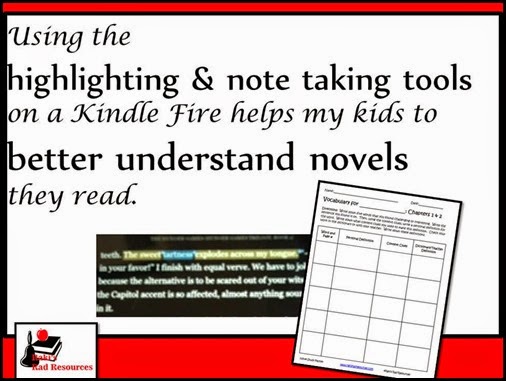
Using the highlighting and note taking tools on a kindle fire has helped my child to better understand the novels he reads.  He uses the highlighting tool to help him think better about what he reads.  Curriculum suggestions from Raki's Rad Resources.

On the vocabulary page, he finds 5 words, uses context clues to guess the meanings and then looks up the definition in the dictionary.  Since he is reading on the novel on his Kindle Fire, he has developed a system of highlighting the words and the context clues in two different colors while he is reading.  This enables him to find the words easily when it comes time to do his vocabulary page.  Since his Kindle Fire also has a built in dictionary, that step is much faster too!


Using the highlighting and note taking tools on a kindle fire has helped my child to better understand the novels he reads.  He uses the highlighting tool to help him think better about what he reads.  Curriculum suggestions from Raki's Rad Resources.

Next, he does a summary of what happened in these two chapters by completing a story map.  While he is reading, in yet another color, he highlights key events that he wants to remember for his story map.  He can even type in his own notes to go with highlighting.  No more lost post-it notes, but lots of good thinking while reading going on!


Using the highlighting and note taking tools on a kindle fire has helped my child to better understand the novels he reads.  He uses the highlighting tool to help him think better about what he reads.  Curriculum suggestions from Raki's Rad Resources.


The third page he works on is creating three quiz questions based on the chapters he has read.  He sometimes uses highlighting for this as well, since he likes to pick out minute details for his quiz questions.  We are working on including at least one big idea or inferencing question, forcing him to think further outside the box.


Using the highlighting and note taking tools on a kindle fire has helped my child to better understand the novels he reads.  He uses the highlighting tool to help him think better about what he reads.  Curriculum suggestions from Raki's Rad Resources.

Finally, he completes a reading response page where he writes about the chapters while responding to a prompt.  This has been a great way to see what he has taken from the chapters.  He likes that there is a rubric on the bottom of the page so he knows exactly what he needs to include in his writing.  In fact, he told me he wishes every page he ever did has a rubric so that he isn’t left wondering if what he’s doing is going to be what we’re looking for.

  Using the highlighting and note taking tools on a kindle fire has helped my child to better understand the novels he reads.  He uses the highlighting tool to help him think better about what he reads.  Curriculum suggestions from Raki's Rad Resources.

If you’re interested in having your students work on a Self-Selected Novel Study, you can find the entire packet including the pages shown for up to 30 chapters and pages for before and after reading the novel.  A Kindle Fire is NOT needed to complete the packet, but it definitely makes the note taking processes easier!!

Heidi Raki of Raki's Rad Resources

Saturday, January 31, 2015

Virtual Museum Exhibits

Experiencing and creating virtual museum exhibits with kids.  Ideas from Raki's Rad Resources.

It’s been museum week around here!  On Thursday, we took a field trip to the Colburn Earth Science museum in Asheville, South Carolina.  The kids completed scavenger hunts and explored rocks, minerals, mining, tectonic plates, fossils and weather.

 Experiencing and creating virtual museum exhibits with kids.  Ideas from Raki's Rad Resources.

On Friday, we looked at the virtual museum exhibits of the Smithsonian Natural History museum, which gave us access to the amazing exhibits and information of this museum. 

 Experiencing and creating virtual museum exhibits with kids.  Ideas from Raki's Rad Resources.

Finally, the boys took the information they have been gathering through their Country Study Research Projects to create their own virtual museum exhibits about the fossils you can find in their countries.

My fifth grader, who is studying China, created this prezi:


My second grader, who is studying Russia, created this video using Powtoon:


Year long country study project that allows students to explore all of the main ideas of science - earth science, life science and physical science and social studies - geography, history, culture, government and economics - all while exploring one self chosen country.  Resources from Raki's Rad Resources. In the past when I have studied rocks and minerals with a class, I have had students become experts on a type of rock with my Rock Research Project or a material found on Earth with my Earth’s Materials Online Poster Project.  This is the first time I have focused an entire unit on the geographical history of a specific area.  It was really interesting to see the real life applications that came out in my sons’ explanation write ups including references to climate and the uses of rocks.  The Rocks & Fossils section of our Year Long Country Study Project has beena great unit for bringing together all of the major concepts of Earth Science!

Heidi Raki of Raki's Rad Resources

Friday, January 9, 2015

Game Press – Use this iPad App to Create Your Own Video Games

Do Your Students Create Their Own  Video Games?  Stop by Raki's Rad Resources to find out why the should be and explore an easy iPad app called Game Press to make it happen in your classroom.


Last trimester, my kiddos created their own vocabulary games with my Vocabulary Game Creation Project to work on key math vocabulary.  My oldest son is a major techie and really wanted to create a video game.  I feel that it is super important for young students to be exposed to the basics of coding, so that they are continually realizing that they are in control of the computer and not the other way around.  Learning the basics of coding teaches students:

- trouble shooting skills (which we call critical thinking when applied to a math problem)

- logical thinking (also a math concept)

- cause and effect (literacy and science concept)

- patience and persistence (life skills)

- application and creativity


So when he asked to play around with creating a video game, we downloaded an app onto our iPad called Game Press, which he used to create his video games.  The app itself is free, but with the free version, you only have three possible levels to your game.  Each level is quite short, so this makes for very short games.  We chose to upgrade for $1.99 and give him access to unlimited levels.

Within the create mode, students design a background and add characters.

Do Your Students Create Their Own  Video Games?  Stop by Raki's Rad Resources to find out why the should be and explore an easy iPad app called Game Press to make it happen in your classroom.

Then, students can assign movements to characters and create simple “if…then” statements in relation to the characters, which will dictate the movement of the characters when someone plays the game.  These “if…then” statements are created by simply drawing lines between two or more behaviors.

Do Your Students Create Their Own  Video Games?  Stop by Raki's Rad Resources to find out why the should be and explore an easy iPad app called Game Press to make it happen in your classroom.

At any moment, students can play their own games, giving them a chance to see how their actions will play out in their game.  This try and check process is key to learning how to use any new piece of technology – and is conveniently an important skill in both math and science. 

Do Your Students Create Their Own  Video Games?  Stop by Raki's Rad Resources to find out why the should be and explore an easy iPad app called Game Press to make it happen in your classroom.

In today’s society, students need to learn not just how to use technology, but how to be in control of programming new technology.  Apps like Game Press help students begin to understand the concepts of coding without having to use a programming language.  This app would make a great addition to an after school coding class or an enrichment program, but it could also be used in a general education classroom.  Here are a few helpful hints if you plan to use it in your general classroom:

1.)  Model the basics for your students.  Project from your iPad if possible, or simply work on the iPad in front of the students.  This will help students know where to get started when they begin.

2.)  Allow students to work in groups.  This helps make the most of limited resources and allows students with more technology experience to become the “experts” who help the group.

3.)  Give early finishers a chance to use “play around” with Game Press and build their expertise.

4.)  Ask students to create a slide by slide plan for their game before they begin creating.

5.)  Set specific guidelines on what MUST be included in a completed game. 

6.)  Make the first game an ongoing project or a quarter or semester long project, so that students won’t feel rushed and will be encouraged to try new things, even if it means failing the first few times.

How could you use Game Press in your classroom?

Heidi Raki of Raki's Rad Resources

Thursday, December 18, 2014

Student Interest Project Website – DIY.org

For two years, I was the Technology Specialist at a school in Georgia. During that time, I amassed a large collection of websites that I use with my students. You can download my E-Book of Websites for the Elementary Classroom for free from Teachers Pay Teachers or Smashwords, or, you can check back here each week for the website suggestion.

Use DIY to increase student led learning and encourage students to develop their interests into learning experiences.  Suggestion from Raki's Rad Resources.

Looking for some experiential learning activities for your students to work on over the holiday break?  Try out DIY.org.  A friend of mine recently suggested this amazing website to me for my personal children.  She described it as “virtual scouting”, which is pretty accurate.  Kids can work towards earning badges on any variety of topics by submitting photo or video “proof” of activities they complete.

Use DIY to increase student led learning and encourage students to develop their interests into learning experiences.  Suggestion from Raki's Rad Resources

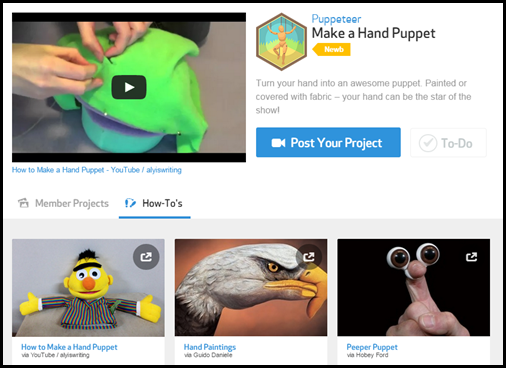
In order to get started, children must have an account linked to an adult account.  This could be left up to individual families or could be created as a teacher account.  Once children have accounts, they explore all the different skills that might interest them, like art, athletics, building, business, hacking or science.  Each skill has different badges available for children to earn.  For example, within the skill of art, you will find badges like actor, painter, leatherworker, papercrafter, photographer or puppeteer.

Use DIY to increase student led learning and encourage students to develop their interests into learning experiences.  Suggestion from Raki's Rad Resources

For each badge, there is are 6 – 12 possible challenges.  Children must do 3 or four challenges to earn the badge. For example, if you are working on the badge of puppeteer, you can choose to do things like make a hand puppet, develop a voice for your puppet, make a movie with your puppet or create a marionette.

Use DIY to increase student led learning and encourage students to develop their interests into learning experiences.  Suggestion from Raki's Rad Resources

For each challenge, there are links to photos and videos from different members who have completed this challenge.  Additionally, there are How-To videos from YouTube showcasing professional who have created similar projects.  For example, if you are working on the ‘make a hand puppet’ challenge, there are videos of how to sew a hand puppet and how to paint your hand as a hand puppet.  

Use DIY to increase student led learning and encourage students to develop their interests into learning experiences.  Suggestion from Raki's Rad Resources

Once children complete their challenges, they must upload a photograph or a video of their project.  These photographs or videos are evaluated by someone on staff before they are posted on the website and before the children are given credit for it on their badge.  However, the turn around is quite quick and generally within 24 hours their activity is posted.  Once it is posted, other members can “favorite” their activities and even leave comments.  Students collect their badges virtually, but they can receive real patches in the mail if their adult chooses to order them (for a $4 a patch).

 Use DIY to increase student led learning and encourage students to develop their interests into learning experiences.  Suggestion from Raki's Rad Resources

This website was suggested to me as way to give my children a “scouting” experience while we are full time RVing and moving around the country.  However, it is really an amazing site for anyone looking to make a solid virtual/ hands on connection.  It also allows students to build skills and work together with children around the world.  This website is perfect for homeschoolers, especially unschoolers, but it would also easily be included into standard classrooms.  It would be a great spring board for 20% Time or Genius Hour.  It would also be fabulous for early finishers or indoor recess.  Additionally, it would be great to send home over the holiday break as “homework” along with a reading log or an online book report.  It’s a simple and easy way to keep kids learning and engaged in topics that are interesting to them.

How could you use DIY.org in your classroom?

Heidi Raki of Raki's Rad Resources

Friday, December 12, 2014

Let the Students Teach the Vocabulary Lesson

Teaching kids vocabulary is a critically important skill.  If you understand the vocabulary of any given subject, you will better be able to understand articles or textbook pages on the subject, lessons taught by the teacher, videos watched online and even the tests given on that subject.  There are tons of ways to practice vocabulary – practicing flash cards, playing games, writing sentences, etc.  However, we need to stop and ask ourselves, how much of this vocabulary do we want our students to remember?  In order to truly remember vocabulary words, students have to be doing more than reading the words, copying the definitions, or writing sentences with them.  True, a combination of these different activities will help memory.  This is the reasoning behind my ESL Vocabulary Packets and my Spelling Patterns Vocabulary Packets, giving students the ability to work with words in at least 5 different ways.

However, for key vocabulary words, especially in a content area like Math or Science, the best way for students to truly remember important vocabulary words is to create with them.  Students who create lessons, videos or games with their vocabulary words cement those words and their meanings into their memories because they have had to think about them to such an extent that their brain has carved out a special neurological path for them. 

vocab game

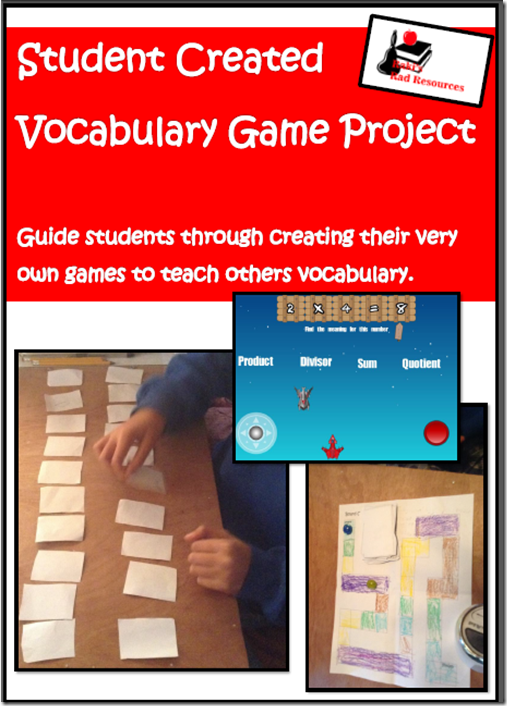
My sons created vocabulary games this trimester for key Math words.  My second grader created board games and memory games using the pieces in my Vocabulary Game project.  My 5th grader, however, got fancy and used an iPad app called GamePress to create three short video games with key vocabulary words in each of his languages.  Each of the kids tried out their games with each other, and with some friends who came over.  This gave them a chance to be the teacher, the expert and the one cementing these words into their memory.

Since my sons are learning Math in three languages – English, French and Arabic – vocabulary is especially important for them to understand what questions are asking of them.  The same can be said of our ESL population in public schools in the US.  Without these key words, students loose meaning in problem solving, on tests and in general lessons.

What vocabulary words could your students benefit from teaching others?

Heidi Raki of Raki's Rad Resources

Thursday, November 13, 2014

Making Math Tutorial Videos

Student created math tutorial videos help you know if the student truly knows what they think they know.  Blog post from Raki's Rad Resources

One of the best ways to know if a student REALLY understands a math concept is to ask them to teach the concept to someone else.  However, letting each student teach the class can be extremely time consuming.  A good alternative is to let students create math tutorial videos, which can be viewed by students at home or during a math center.  My students create their videos with these steps:

1.  Plan out key vocabulary and phrases that will be needed for the video.

2.  Create the video in your chosen app or website.

3.  Record the video.

4.  Edit the video.

5.  Students evaluate themselves on their own rubric.

6.  Teacher evaluates student with the teacher rubric and conferences with students on their work.

We use my Tutorial Video Planning Sheets in this process:

Video planning sheet from Raki's Rad Resources

This week, my children created these videos about the topics they have been learning about for the past 10 weeks.  They do their home school work in English, French and Arabic, so they created three different videos.

2nd Grade English

Student created math tutorial videos help you know if the student truly knows what they think they know.  Blog post from Raki's Rad Resources

2nd Grade French

Student created math tutorial videos help you know if the student truly knows what they think they know.  Blog post from Raki's Rad Resources

2nd Grade Arabic

 Student created math tutorial videos help you know if the student truly knows what they think they know.  Blog post from Raki's Rad Resources

5th Grade English

Student created math tutorial videos help you know if the student truly knows what they think they know.  Blog post from Raki's Rad Resources

5th Grade French

 Student created math tutorial videos help you know if the student truly knows what they think they know.  Blog post from Raki's Rad Resources

5th Grade Arabic

Student created math tutorial videos help you know if the student truly knows what they think they know.  Blog post from Raki's Rad Resources

Before the kids are allowed to publish their videos, they are required to conference with me, which gives me a great way to handle any misconceptions that might be happening in their mathematical knowledge.  It also teaches students the importance of revising and editing work before publishing – which is a skill that should be done in all subjects NOT ONLY IN WRITING.  These videos may not replace tests entirely, but they give me a very clear picture as to where my students stand in regards to mathematical thinking.

For some ideas on programs and apps to use to make videos, check out these two old blog posts:

Online Video Creation Sites

Making Movies on an iPad


Heidi Raki of Raki's Rad Resources